How I Make My AI Fruit Videos
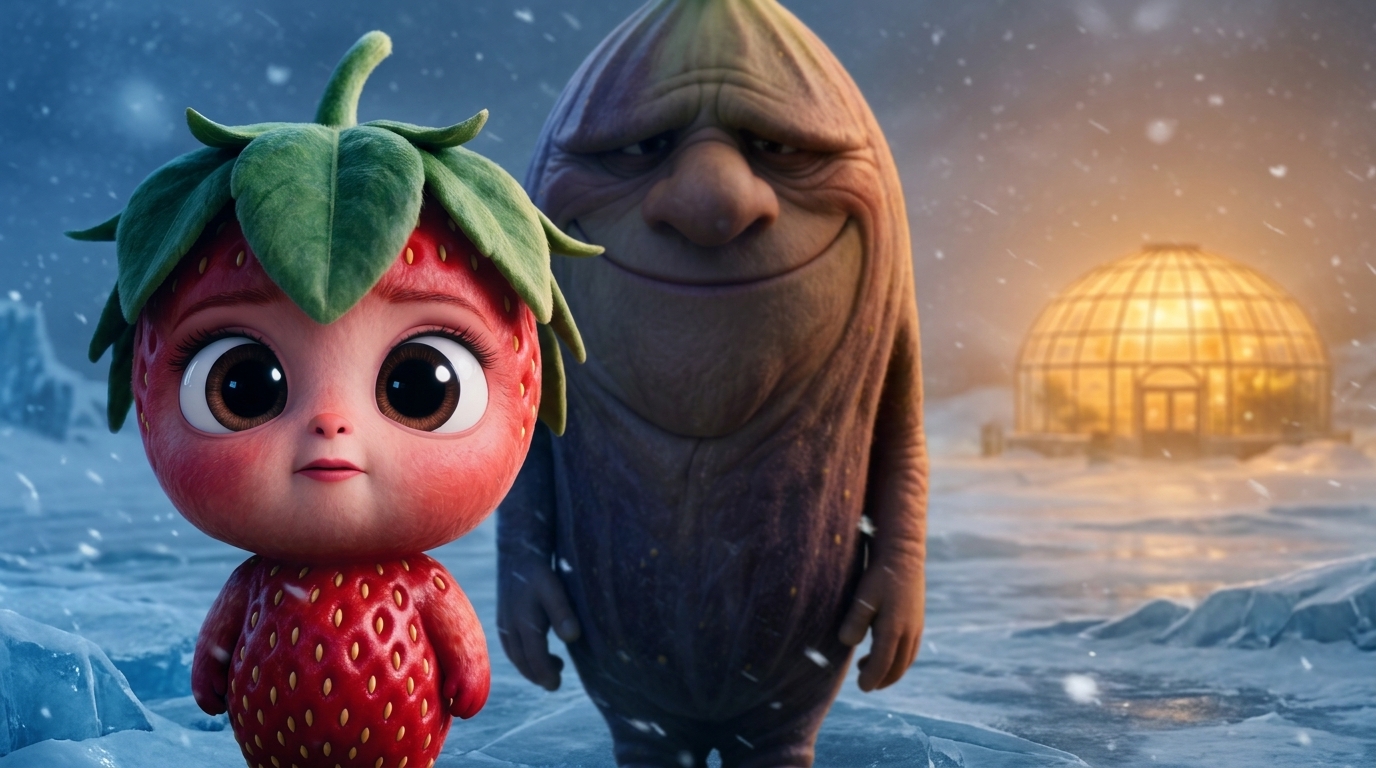
You probably came here from one of my fruit reels. Peachella, Strawbinita, one of the others where a small fruit child gets wronged by an adult and your group chat demands Part 2. I'm Justin (I post them at @arielletao_), and the single most common DM I get is "how do you make these?"
This article is how. Every prompt. Every tool. Every dollar I spent producing the 37-second video embedded at the bottom of this page. A Pixar-style short, made from scratch using the same four prompts you're about to copy.
Nothing here is gatekept. Do the work and you'll have a video by the end. The only thing I'm selling is the future version of this pipeline where one tool does the whole thing for you. That's what I'm building at strawbinita.com, and the waitlist is at the bottom.
Some links below are affiliate links. If you sign up, I get a small cut. It funds the tools I'm building.
What this costs and how long it takes
Let me be straight about this up front, because I don't want anyone finishing the article and feeling ambushed.
Text. Free. You can run the thought-work prompts on z.ai's free tier. Or ChatGPT, if that's already in your life.
Character images. Free on kling.ai credits. Every new account gets enough to generate several reference images without spending a dollar.
Video generation. This is where you actually spend. kling.ai v3 Omni runs ~$1 per 7 seconds of generated video. For the demo video in this article (37 seconds, with four variant generations per scene), I spent $25 total. Four variants is what a normal first-timer does, because your first prompt is rarely your best prompt.
If your instincts are better than mine and you nail every scene on the first try: ~$8. If you iterate heavily: $30–40.
Budget $20–30 for your first video. $8–12 once you know what you're doing.
Time: 2–4 hours for your first, including CapCut assembly. Maybe 60 minutes once the process is muscle memory.
First, pick your niche
Before any of the prompts, you need a subject. Most people skip this part, and it quietly decides whether your videos get shared or die in the algorithm.
The best subjects share three properties:
Visually distinctive. The character should be recognizable in a single frame. Strawberries have a specific silhouette. Pomegranates have an instantly-readable color. A generic "smiling guy" does not.
Emotionally expressive. Your subject has to carry human-level feeling without being human. Fruits work because they have surfaces that can look bruised, cold, shiny with health, weeping with juice. A metal wrench does not.
Non-crowded. At the time I'm writing this, anthropomorphic fruits are underserved on short-form. Anthropomorphic cats are not. If the niche is already flooded, your first video competes with 10,000 others made by people who have been at it for a year. Pick something where you can be one of the first.
Some niches I would bet on today:
- Fruits and vegetables. What I do. Lots of shape variety, natural color palette, emotionally rich because food carries memory.
- Office supplies. Stapler parenting. The sad calculator. Underrated.
- Kitchen appliances. More personality than you'd think. The blender has opinions.
- Pets of specific breeds. Works if you pick a breed with a strong visual signature (french bulldogs, corgis).
Avoid: abstract concepts (can't be drawn), humans-that-look-like-humans (instant uncanny valley), and anything already trending hard.
Pick one subject. Stay with it for at least five videos. Viewers will start recognizing your style the second they see it.
Step 1: Pick an idea
Open z.ai (or ChatGPT, same thing for our purposes). You're going to run all four prompts in the same chat session. The model carries context forward, so the story you end up with is internally consistent across characters and scenes.
Paste this prompt first, filling in your chosen subject ([YOUR CHARACTER TYPE]) and a rough theme. The theme can be vague. "Anything dramatic" is
a valid answer.
You are helping me brainstorm a short-form viral video concept. My videos use anthropomorphic [YOUR CHARACTER TYPE] characters in 3D Pixar-style animation, telling a dramatic human story in 60 seconds. Think Instagram Reels / TikTok, vertical 9:16, heavy emotional punch, the kind of video people send to a friend with "you have to see this."

The theme I want to explore: [YOUR ROUGH THEME]

Generate 3 distinct concepts for me. Each concept should:

- Target a HIGH-AROUSAL emotion: outrage, shock, anxiety, heartbreak, disbelief. "Mildly interesting" is a death sentence — push for intensity.
- Center on a character in jeopardy (a child, a vulnerable adult, someone sacrificing) facing adult cruelty, betrayal, or impossible choices. Protective-instinct stories share more than any other kind.
- Pick character species / variants that add dramatic irony by themselves. A [CHARACTER TYPE] choice should carry meaning — not just be the first option.
- Build around a twist that either RECONTEXTUALIZES earlier moments or DEEPENS the conflict (not just a surprise for surprise's sake).
- End on an image of injustice in progress, not a resolution. The final beat is what gets screenshotted — make it a concrete, visible wrong that leaves the viewer wanting to argue or send it to someone.
- Work as "Part 1" of a potential series. Each concept must include the cliffhanger hook that would make people want Part 2.

For each of the 3 concepts, give me:

1. Named concept — a portmanteau (merge two words into one that instantly conveys the story). Examples: "Peachella" = Peach + Coachella; "Strawbinita" = Strawberry + -ita (diminutive, child). The name is the pre-video hook — it must be evocative in one word.
2. One-line hook — what someone would DM a friend to describe it. Under 20 words.
3. Core emotion — the specific high-arousal feeling you're targeting.
4. The twist — one sentence. Tag it as RECONTEXTUALIZE or DEEPEN-CONFLICT.
5. 8-beat arc — one line per beat, showing how the story escalates. Beat 1 = hook (stop the scroll in 3 seconds), Beat 8 = the injustice image that ends on Part 1's cliffhanger.
6. Why this concept is fresh — one sentence.

After generating all 3, tell me which one is strongest and why. Commit to a pick — don't hedge. I'll say "use concept N" in my next message.The model returns three concept options, each with a named portmanteau (think Peachella = Peach + Coachella), a one-line hook, the emotional target, an 8-beat story arc, and its own recommendation of which to build.
Here's what the output for my demo looked like. This was one of three concepts z.ai returned:
Concept 1: Frostbinita (Frost + Strawbinita)
One-line hook: Her guardian wore her only winter coat to save himself.
Core emotion: Heartbreak & abandonment.
The twist: The guardian abandoned her. Worse, he stole her only protection to buy his own safety. (DEEPEN-CONFLICT)
Plus a full 8-beat arc and two other concepts to pick from. I chose this one.
Pick one. Reply in the chat with use concept 1 (or 2,
or 3). If none of the three work, reply
none of these — try again, more [whatever's missing],
and the model will regenerate.
Step 2: Write the story
Same chat. You don't need to fill in anything; paste Prompt 2 as-is, because the model already has your concept pick in its context.
Great. Now write the full source story based on the concept I picked.

Output in exactly this structure:

# TITLE
The named-concept portmanteau, then " — Part 1". E.g. "Peachella — Part 1".

# ONE-LINE HOOK
Max 20 words. This is what gets DM'd.

# MAIN CHARACTERS
For each named character with a speaking role (skip unnamed or crowd/group characters like "a swarm of crows"):
- Name (character-type-specific, e.g. a fruit name for fruits)
- Character species/type (e.g. "peach", "lemon") with 1-sentence reasoning for the choice
- Approximate age
- Personality in 5 words or fewer
- Their role in the story

# 8-BEAT BREAKDOWN
For each beat (1 through 8):
- Beat N: 2-3 sentences MAX describing ONE dramatic moment. Include the dialogue spoken — at least one line per beat, short and punchy (under 20 words per beat of dialogue total). Describe what the viewer SEES and HEARS, not internal feelings.

Each beat = roughly 8 seconds of video. Each beat must deliver a NEW reveal, reversal, proof, or escalation. No filler beats. No recapping.

# FULL PROSE STORY
The story in flowing prose, 300-500 words. Keep it visual, immediate, dramatic. No narration voice-over, no screenplay directions. Just the story.

Writing rules — follow strictly:

- Dialogue-driven, no narration. Every beat has at least one spoken line. Characters speak to each other or to themselves. No off-screen narrator, no voiceover.
- Short dialogue only. Max ~2 sentences per character per beat. Punchy, emotionally charged. "Get out." beats "I need you to leave my house right now."
- Show, don't tell. Emotion comes through visible action and dialogue — never "she felt conflicted" or "he considered his options."
- Escalation must trend upward. Beats 5-8 are the most intense. Beat 8 is the injustice image: a concrete, visible wrong, not a peaceful resolution. The viewer must want to comment "WAIT WHAT" or share it to a friend.
- Specific details. Dollar amounts, names, places, objects. "$4,000 a month for her medicine" beats "expensive medicine."
- Cause-and-effect chain. The viewer always understands WHY something is happening. No confusing timelines.
- End on a cliffhanger that justifies Part 2. The final beat resolves the Part 1 emotional unit AND opens the next question.

Favor: reversals, hidden information, betrayal, ironic reveals, twists that reframe earlier moments.

Avoid: slow setup, too many named characters, overexplaining motivations, literary flourishes, contemplative or dignified endings.What comes back is a full source story with five pieces:
- Title: your named concept + "Part 1"
- One-line hook: the DMable summary
- Main characters: who appears, with their fruit/object choice justified as dramatic irony
- 8-beat breakdown: each beat is one dramatic moment with dialogue, roughly 8 seconds of screen time
- Full prose story: 300–500 words, dialogue-driven, meant to be visualized
A real snippet from my Frostbinita demo:
ONE-LINE HOOK
Her guardian stole her only leaf-crown to save himself.
Beat 2
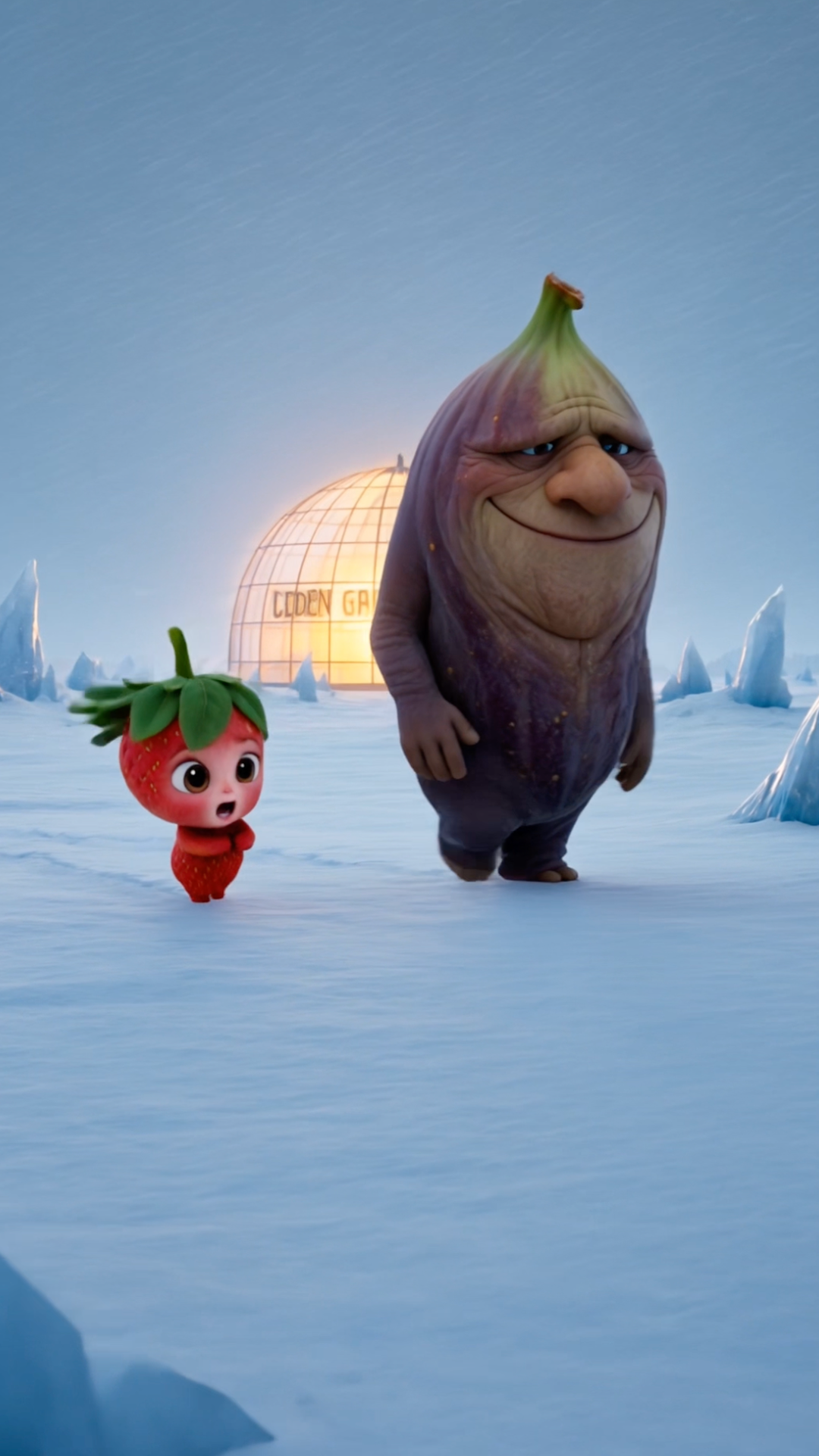
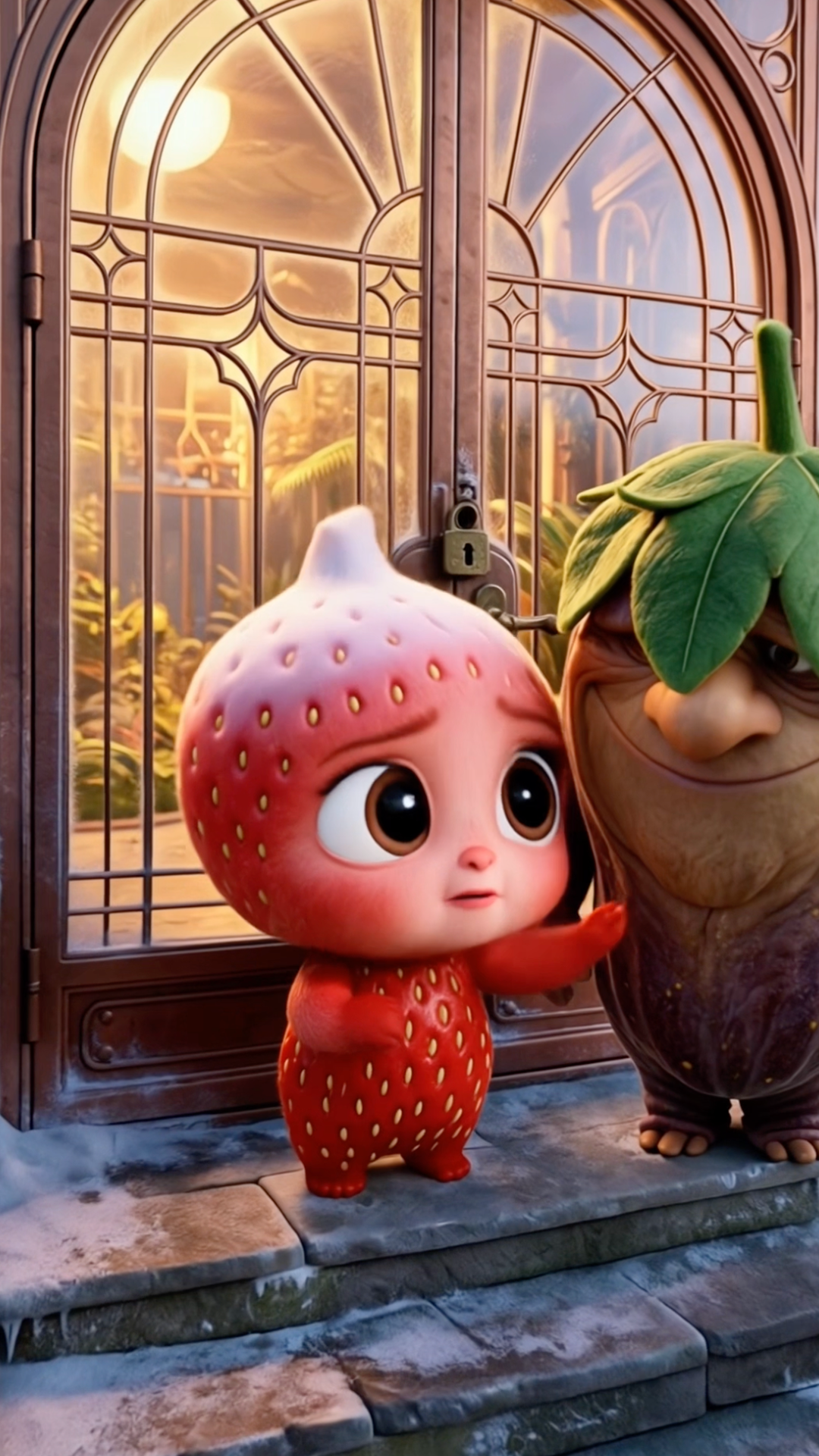
Old Fig rests a heavy, comforting hand on her green leaf-crown as they run. He leans close and promises, "I will always keep your leaves green and warm."
Beat 8
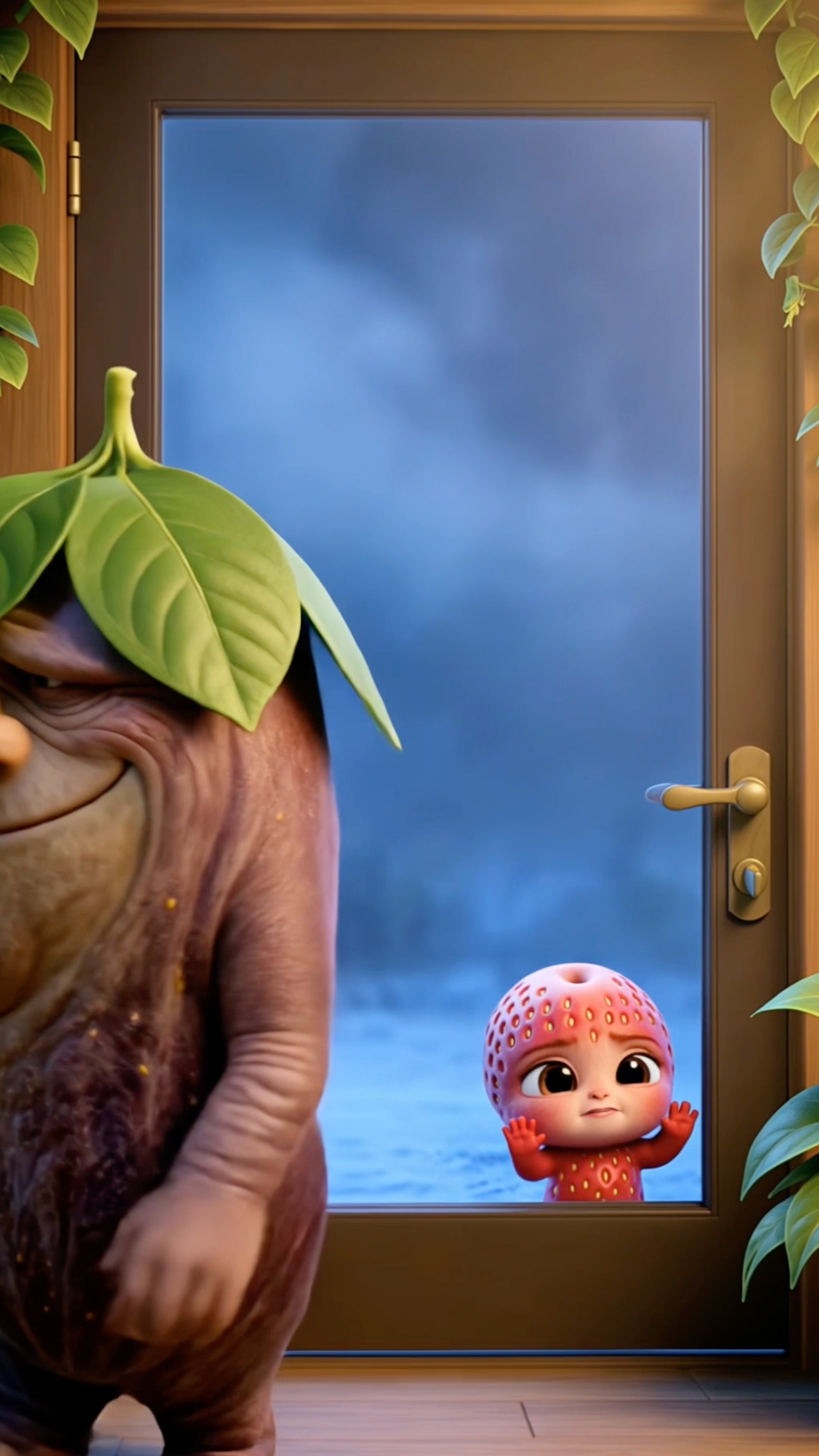
Old Fig's hand slams the brass deadbolt shut. He turns his back on her as Strawbinita presses her bare, freezing hands against the glass. She sobs, "You promised!"
Two things to notice that make this prompt work:
The species choice carries meaning. In my demo, the adult villain is a fig. Actual figs are hollow inside. The prompt specifically asks the model to make the fruit/object choice mean something. Don't let it give you "a peach and a lemon" without a reason.
Beat 8 is an injustice image, not a resolution. The story ends on a specific frame that is a concrete, visible wrong. That's what gets screenshotted, shared, and turned into "I can't stop thinking about Part 2." A clean, happy-ish ending gets nothing.
If the story is flat or off-tone, reply
write me another version, more [heartbreak / outrage / intrigue /
              less body-horror / whatever]
. Don't move forward until it feels right. Every downstream prompt
builds on this story, so weakness here compounds.
Step 3: Design your characters
Same chat. Paste Prompt 3 as-is.
Now generate AI image-generation prompts for each main character from the story above.

These prompts will be pasted into Kling AI's image generator, one at a time, in isolation. Each prompt must work as a completely standalone instruction — the image generator has NO knowledge of the other characters. That means:

- NEVER reference other characters in a prompt (no "taller than [other character]", no "same color as [another]").
- Use ABSOLUTE descriptors (e.g. "approximately 3.5 feet tall", "short and petite") instead of relative ones.
- Describe every visual detail from scratch in every prompt. No shortcuts.
- Each prompt must generate a consistent-looking character every time it's run.

For each main character, output a prompt in this format:

---

Character: [Name]

Image Prompt:
3D Pixar-style character, anthropomorphic [species/type], expressive face. [Detailed description of skin/surface: color, texture, sheen, distinctive markings]. [Face: eye shape, expression baseline, mouth style, any distinctive facial features]. [Body type: absolute size — e.g. "short and plump, approximately 3 feet tall" — and proportions]. [Clothing: specific garments, colors, patterns, fit — must be story-relevant]. [Accessories or props they carry — only story-critical items]. [Age indicators — how the age is visually communicated]. Clean dramatic lighting, neutral gray background, centered composition, portrait framing, high detail, cinematic quality.

Notes (for you, the human — don't paste into the image generator):
- Relative size vs other characters: [e.g. "roughly half the height of [Name 2] in shared scenes"]
- Color/visual contrast: [how this character visually differs from others]

---

Rules for the prompts:

- Start every prompt with "3D Pixar-style character, anthropomorphic [species]" — without this, the generator defaults to photorealistic.
- Use positive framing only. Say what you WANT, never "no X" or "without X."
- Be specific about material and texture — fruit skin has pores, wax sheen, specific color gradients. Describe them.
- Clothing and props must match what they wear in the story.
- If a character visually transforms during the story (e.g. they get older, sicker, wealthier-looking), output SEPARATE prompts for each state, labeled clearly. Write each state from scratch — no "same as before but now older."

Generate one prompt per character in the MAIN CHARACTERS list from Prompt 2. Skip background/crowd characters (unnamed, non-speaking, or referenced only as a group like "a swarm of crows").The output is a series of character blocks, one per named character in your story. Each block has a full image-generation prompt you'll paste into kling.ai's image generator to produce a reference image.
Here's the character portrait the prompt produced for Strawbinita, rendered through kling:
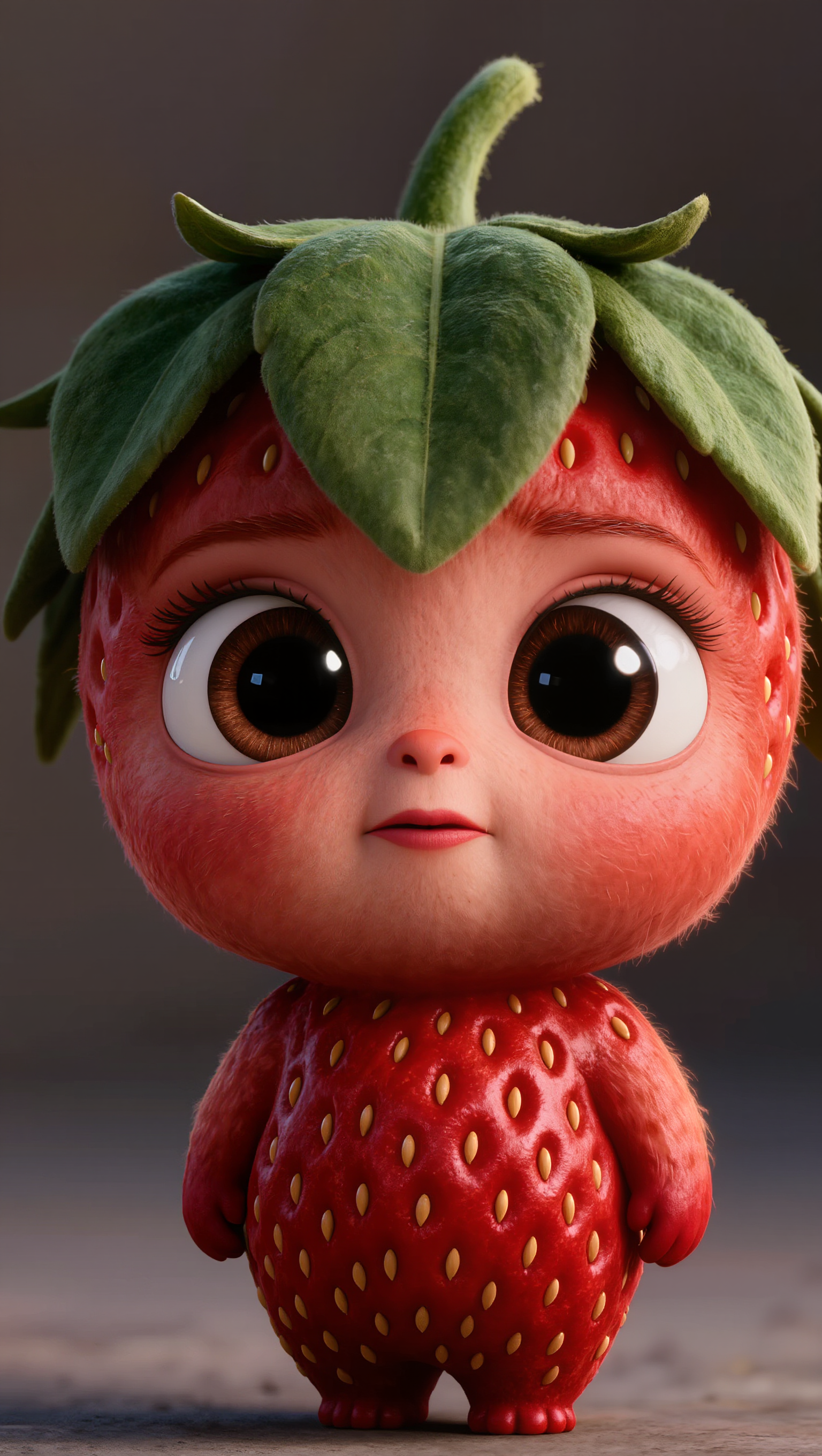
Two things this prompt is doing under the hood that matter:
It describes every character in isolation. The image generator has no memory of your other characters when it renders a new one, so the prompt never compares them against each other. It uses absolute descriptors ("approximately 3 feet tall," "soft, wrinkled purple-brown skin") instead of relative ones. This is the only way to get consistent characters across a multi-character story.
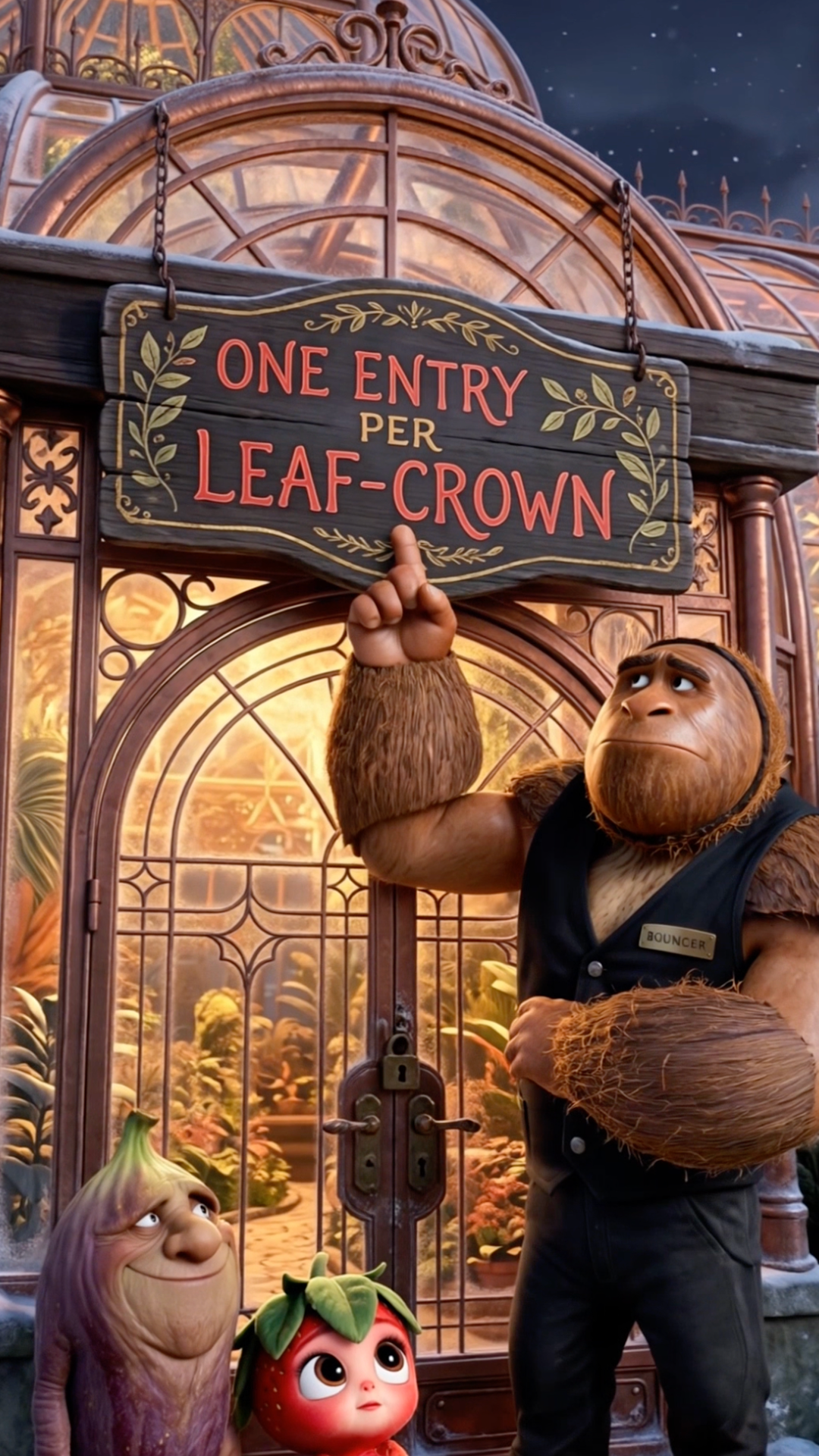
It asks for separate images for each visual state. In my demo, Strawbinita starts with her leaf-crown on and ends bare. Old Fig starts bare-headed and ends wearing her stolen crown. These are two different visual states per character, which means two separate reference images per character. My full demo used five reference images: Strawbinita crowned, Strawbinita bare, Old Fig pre-crown, Old Fig with stolen crown, and the Coconut Bouncer.
You don't skip the state variations. If you try to reuse one reference image across a visual transformation, kling's video model will fight you and the character will visually drift mid-video. Do it right the first time.
After kling generates each image, save it with a predictable
filename (strawbinita-crowned.png,
old-fig-pre.png, etc.). You'll need them in Step 4.
Step 4: Generate each scene as video
Same chat, last prompt. Paste Prompt 4 as-is.
Now convert the 8-beat story into 8 video-generation prompts for Kling AI's VIDEO 3.0 Omni model.

Critical context about how Kling works:

- I will upload the character reference images I just generated as "Elements" in Kling. Each character becomes an @CharacterName element.
- Kling automatically maintains character appearance across scenes when you reference @CharacterName. So DO NOT re-describe the character's appearance in the video prompt — Kling's element system handles it.
- Only describe appearance when it DIFFERS from the base (e.g. transformation states).
- Each video is up to 15 seconds. Target ~8 seconds of depicted action per scene.

Output 8 scene prompts, one per beat, in this exact format:

---

## Scene [N]

Characters in this scene (reference images needed): @CharacterA, @CharacterB

Video Prompt:
3D Pixar-style animation. [Camera framing — wide shot / mid-shot / close-up]. [Setting with concrete environmental detail — time of day, textures, spatial layout, key objects]. @CharacterA [specific body language and facial expression, specific action]. [Lighting and mood — quality and color of light, atmosphere]. [Camera movement, if any — "camera pushes in to close-up", "camera drifts to"]. @CharacterA says, "[exact dialogue from the story beat]." [Reaction — what physically changes in a body, face, or the environment in response].

Dialogue (for reference):
- CharacterA (delivery context, e.g. "shouting", "whispering", "voice cracking"): "exact line."
- CharacterB: "exact line."

---

Rules for every scene prompt:

- EVERY prompt starts with "3D Pixar-style animation." — non-negotiable. Without it, Kling defaults to photorealistic.
- One continuous prompt per scene. NO multi-shot format, NO "Shot 1 / Shot 2."
- Reference characters with @CharacterName. Do NOT re-describe their appearance unless they've visually transformed.
- Include all of: setting with physical details, body language + facial expressions, lighting, camera framing + movement, dialogue.
- Dialogue stays in quotes: @Character says, "Line." Max ~1-2 sentences per character per scene.
- NO voiceover, NO narration, NO off-screen voices (unless the story requires one and it's tagged as off-screen).
- NO background music instructions, NO text overlays.
- Scenes must be visually distinct from each other. Different framing, different setting or layout.
- Scene 1 must STOP THE SCROLL in the first second — highest-information opening frame possible, immediate emotional hook.
- Scene 8 must end on the injustice image from the story's final beat. The final frame is what gets screenshotted — make it a concrete, visible wrong.

After all 8 scenes, output a summary table:

| Scene | Characters needed | Notes |
|---|---|---|
| 1 | @CharA, @CharB | ... |
| 2 | @CharA | ... |
| ... | ... | ... |

This tells me which reference images to upload to Kling for each generation.The output is 8 scene prompts (one per beat of your story), plus a summary table telling you which reference images each scene needs.
Here's what 4 scenes from my demo look like once generated:
Running each scene in kling
For each of the 8 scenes:
- Open kling.ai and select VIDEO 3.0 Omni.
-
Upload the reference images that scene needs as
Elements. Use predictable Element names that
match the
@CharacterNamereferences in the scene prompt. E.g. uploadstrawbinita-crowned.pngasStrawbinita, andstrawbinita-bare.pngasStrawbinitaBare. - Paste the scene prompt into the generation field.
- Pick your clip duration (5 seconds works for dialogue-tight scenes; 10 seconds for establishing shots and climactic moments).
- Generate. Each clip takes 3–5 minutes.
-
Download the resulting MP4. Save as
scene-1.mp4throughscene-8.mp4.
I average 4 variant generations per scene before I get one I'm happy with. That's the honest number. First-time prompts rarely produce first-time winners.
Render the risky scene first
If your story has a visual transformation (like Strawbinita's leaf-crown moving from her head to Old Fig's), render that transition scene first, before the other 7. It's the highest-risk scene. Kling can get confused about the state change and produce a weird flicker or swap. If it fails, you can rewrite the prompt with two clearer states or split the beat in CapCut. Front-load the risk.
Step 5: Assemble in CapCut
You should now have 8 MP4 clips. Import them into CapCut (free tier; I'm not an affiliate on CapCut, you just need something).
The assembly is mechanical at this point:
- Order the 8 clips to match beats 1–8.
- Crop to 9:16 vertical if any clip exported in a different aspect ratio.
- Add a title card at the start: 1–2 seconds, plain text, your named concept in the character's signature color on a black background. Example: my demo opens with "FROSTBINITA, Part 1" in cherry-red on black.
- Add background music from CapCut's built-in library. Pick something that matches your story's register: somber for heartbreak, tense for betrayal, quiet-eerie for mystery. Avoid anything too upbeat; it'll fight the emotion.
- Auto-caption the dialogue using CapCut's transcription. Watch for misheard lines and fix by hand.
- Add a "Part 2 dropping tomorrow" teaser card at the end: 2–3 seconds, freeze on your final frame with the text overlaid. Every serialized reel has this; viewers won't follow for Part 2 unless you tell them Part 2 exists.
Export at 1080×1920 vertical MP4.
When you post, use this caption format:
Named Concept Part 1 (emoji × 2 that match your fruit/object and emotion). #aivideo #pixarstyle #[yourniche] #[yourstyle]
Don't overthink the hashtag stack. Five relevant ones beat fifteen generic ones.
You did it. Now the honest part.
Here's the video you just learned how to make:
That took me 2–4 hours and roughly $25 to produce. One video.
If you have fifteen ideas for a series (which you probably do, if you made it this far), that's 30 to 60 hours and around $400 to build a season.
I've made dozens of these. I know what every part of that sentence feels like: the z.ai chat where the first two concepts don't land and you have to decide whether to push for a third, the character prompt where you realize you forgot the transformation state and have to re-generate, the kling queue at 11pm while your first four scene variants render, the CapCut session where the captions keep mis-hearing dialogue about fruit.
The prompts in this article work. But the grind is real.
So I'm building Strawbinita, a tool that runs this entire pipeline for you. Concept selection (with the 11 quality gates), story writing, character consistency across videos, scene prompt pre-review, the whole stack. You bring an idea; it brings a finished Part 1 ready to export and post.
If that's a thing you'd use, the waitlist is below. Joining actively shapes what I build first. The feedback from the next 200 signups determines the feature order.
Join the Strawbinita waitlist.
Early access when the batch opens. Your answers below shape what gets built first.
Justin runs @arielletao_ and is building Strawbinita. If you join the waitlist, you're helping shape what gets built first.